

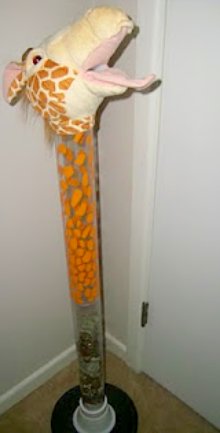
Both of our kids have 4 ft. tall piggy banks. They love to “feed” the banks and watch the money grow. Turkey’s bank was getting pretty full and I hated for that money to not be earning any interest for him, even though I know he likes to see how tall it’s grown. I decided to deposit most of the bills, quarters and dimes.

Being the sneaky Mom that I am, I put some rocks in the bottom to help keep the money tall.I did this several weeks ago, but our bank is not on a route I usually take (only a half mile off of it, but I’m that frugal and don’t want to drive out of the way to stop at the bank). Coins in bulk have to be taken inside, which means more waiting. Enter the new features of Coinstar to save me from such a tedious chore that would be put off indefinitely.
There are Coinstar kiosks in the Brookshire’s and Super 1 Foods stores that I shop at frequently. They now offer the options to add funds to PayPal or cash out funds from Paypal. This convenient new feature cuts out a trip and stop at the bank all together! The machine will count the coins for me and put them into my paypal account where I can transfer them to Turkey’s bank account. This week I took part of the coins I had removed from Turkey’s bank to try out with Coinstar. I stacked them up to quickly count them because I wanted to verify the machine worked correctly.

Off we went to Super 1 Foods to use the Coinstar machine to access PayPal and convert Turkey’s coins into PayPal funds.At this Super 1 the Coinstar kiosk is in a little nook off the side of the lobby where most of the vending machines are. I didn’t feel like we were in the way like at some of the other kiosks I’ve seen around town. (Don’t you love that catch phrase “PayPal now lives here”?) I’ve never used Coinstar before, but I found the on screen instructions were easy to follow and walked me through the entire process.

- I selected the PayPal option and told the kiosk that I already had a PayPal account.
- Then I selected the option to add coins to my account.
- Next, I entered my PayPal address, double checking it lest I end up sending money to someone else! Because I was only adding funds, it didn’t ask for my password. This maked me feel secure about using this option.
- There were 2 screens to read and accept the terms. Basically they want you to be aware that you’ll be charged 5.9% of the coins in exchange for their counting. Be sure to not let it time out or you’ll have to start all over- I learned my lesson!
- It searched and verified my PayPal account, and then we were all ready to put his coins in!


We ran into a snag though: We kept getting error messages similar to ones you’d get on a computer. The machine seemed to not be connected to the Coinstar server, which made me nervous. Eventually we got a message from Coinstar that said “Sorry, we are experiencing technical difficulties. We apologize for the inconvenience.” It went on to say that I’d get a voucher to cash at the customer service desk instead of a PayPal deposit. Fortunately though, because of the technical difficulties they didn’t charge the 5.9% fees to count the coins!
I redeemed the voucher, being sure to ask for some coins so I could try again. The customer service rep went with us, but we had the same results. She called Coinstar but they weren’t able to fix the problem that day. There was nothing more we could do, so we picked up a few groceries and headed home.

Little Turkey had so much fun he already wants to go back again! Every time he sees a Coinstar machine he asks if I brought his money with us.
Overall, I’m excited about the ability to let Turkey participate in his banking, and appreciate that I don’t have to make additional stops to let him do it. The machine counted the coins correctly and seemed to be working correctly except for the Paypal feature. Hopefully they’ll get it all fixed so we can try again later! It’s certainly more convenient to convert coins into PayPal money while I’m at the store grocery shopping instead of making a special trip to the bank lobby.
Did you know that Coinstar and PayPal offered this new feature before reading this post? I’ve gotten notices from them a few times in the past couple of weeks letting me know about it. Currently the PayPal feature is only available at select Dallas/Ft. Worth area kiosks.
“I have been paid (at Coinstar’s request) to try and blog about Coinstar’s products/services as part of a Collective Bias shopper insights study. All opinions are my own.”
My son always loved helping out, whenever he could, at that age! Even at 11, he still loves using the Coinstar machine!